KNOT · PEER-TO-PEER VERSION CONTROL

Your code.
Your machines.
No middleman.

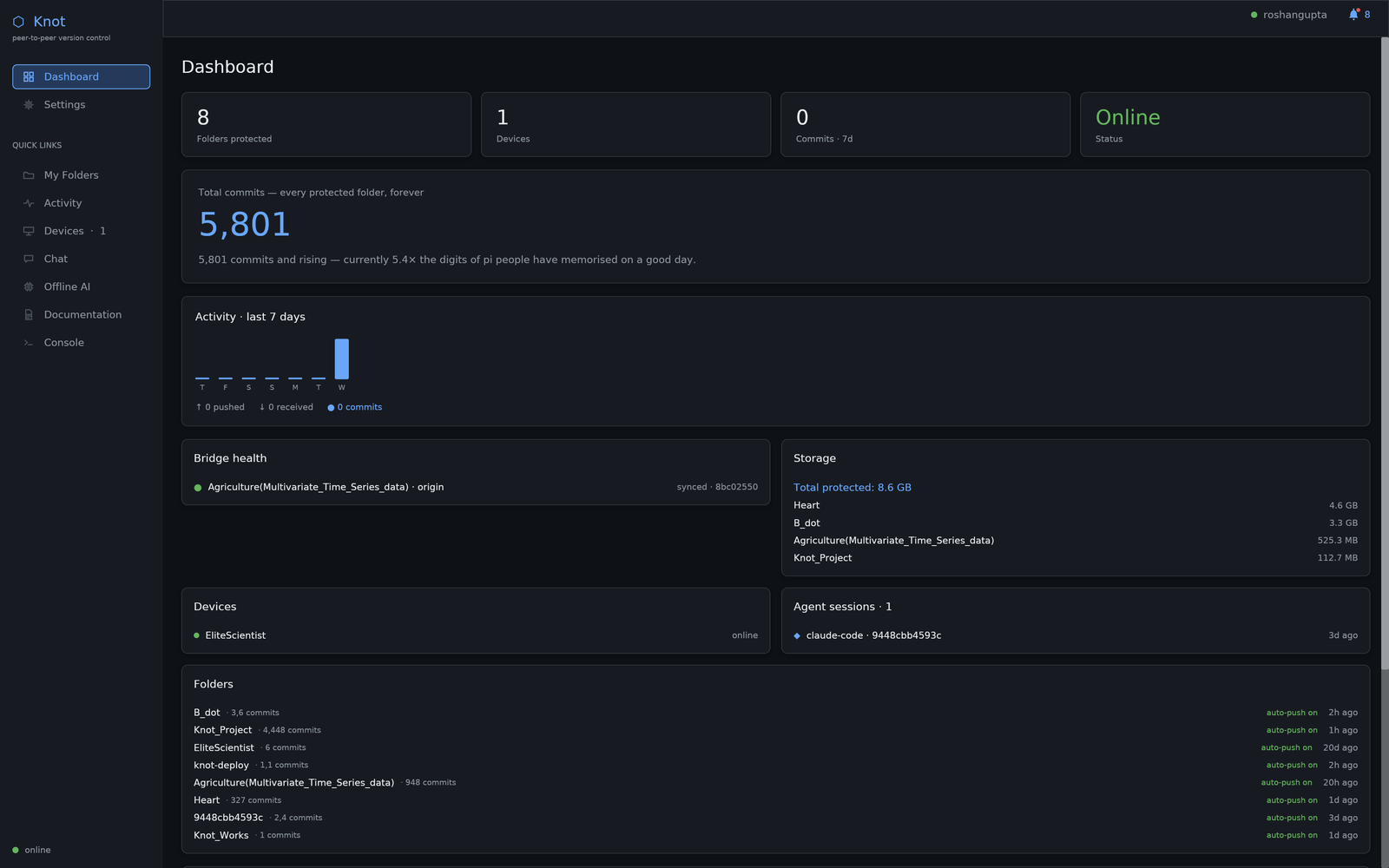
Take any folder on your computer. Knot turns it into a private, real-time-replicated git repository — shared directly between your machines and your teammates, with no central server, no cloud account, and no third party in between.

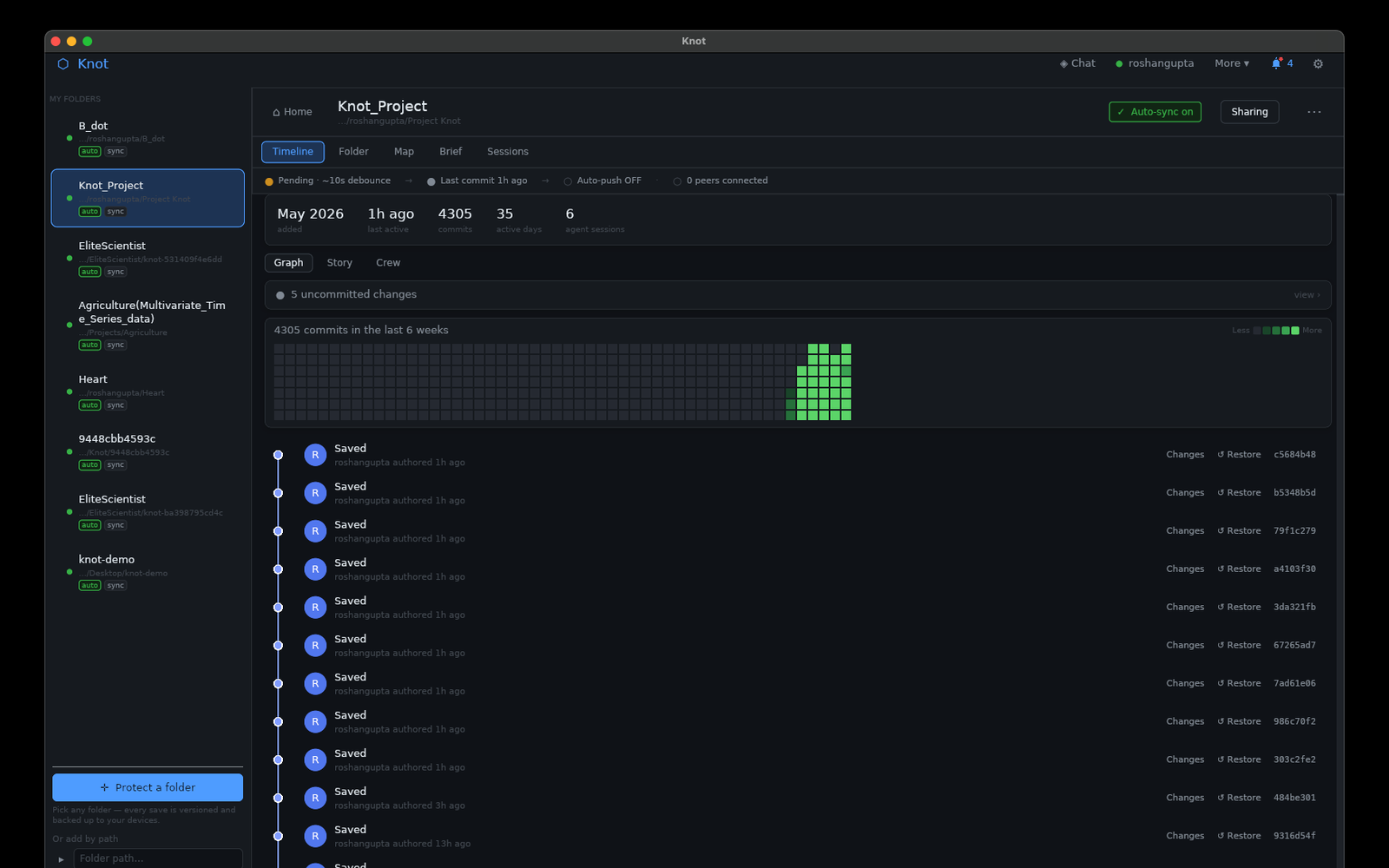
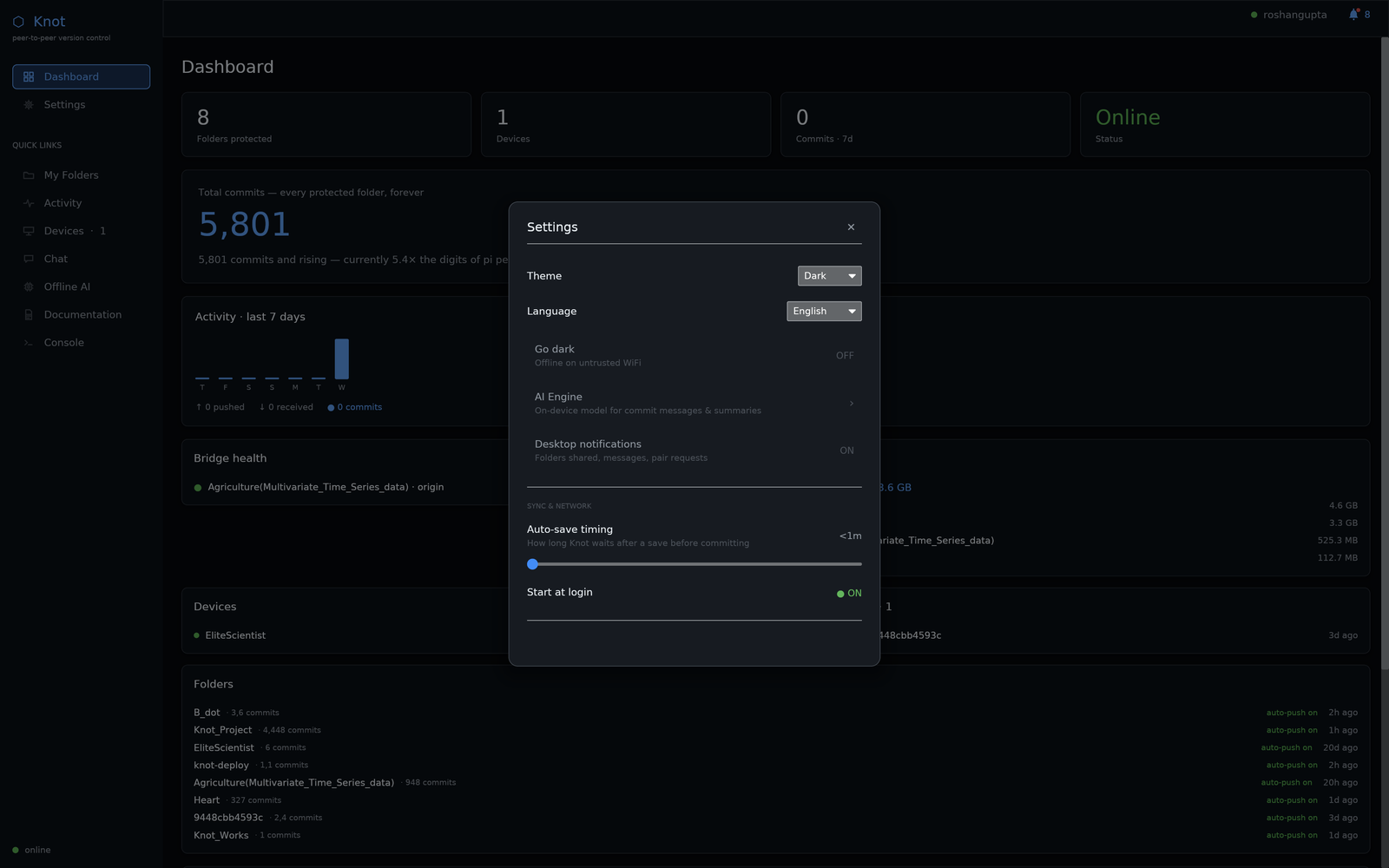
Save → commit → synced. No add, no commit -m, no push.

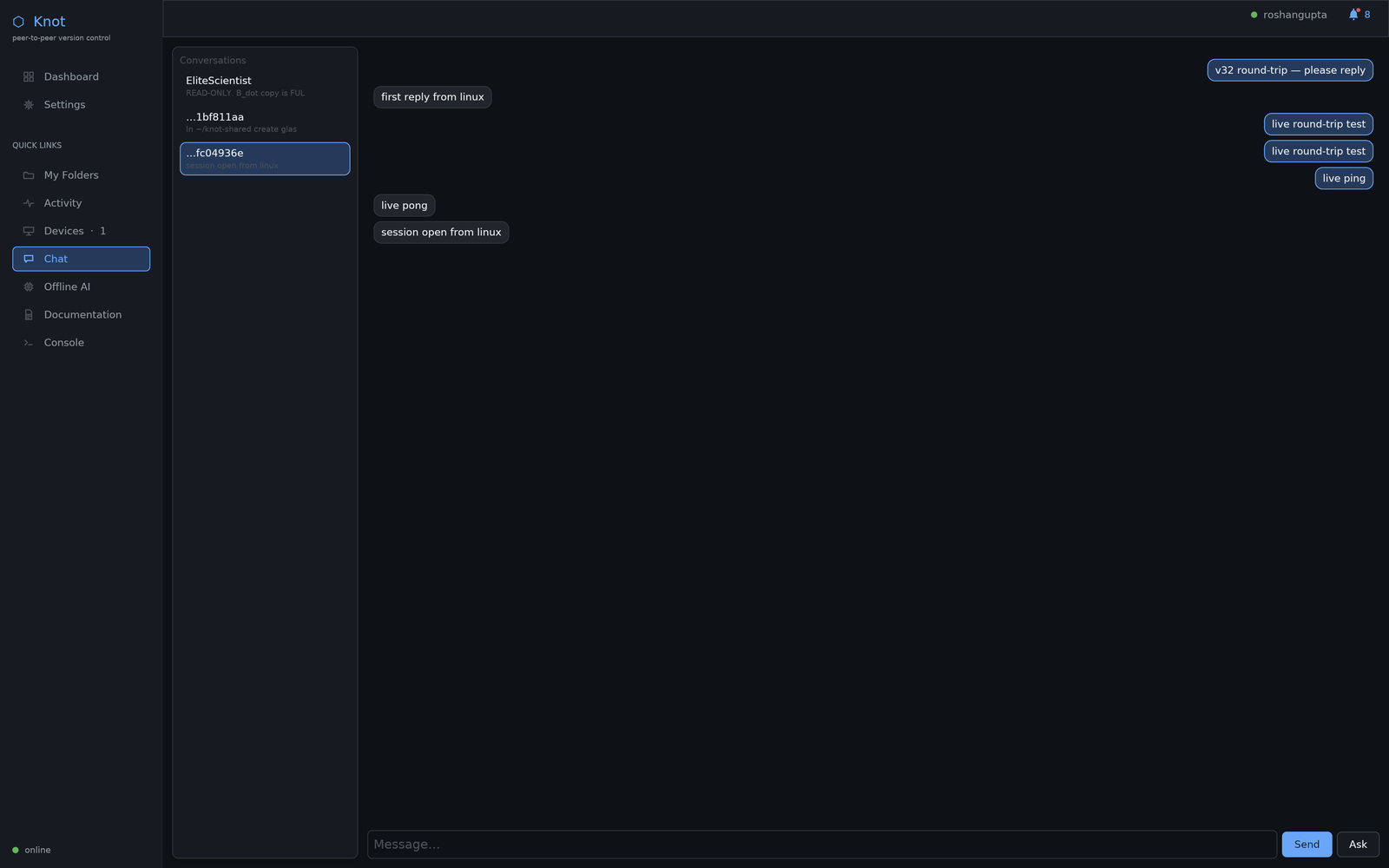
Multiple machines, multiple AI agents, one repo — they build and update it together over your LAN, hands-free, while you watch.

IN TESTING · pre-alpha · request access to try it
01 THE PROBLEM

Your code lives on someone else's computer.

Today's developer workflow assumes a central server. Push to GitHub, GitLab, Bitbucket; pull from GitHub, GitLab, Bitbucket. Your team's source code sits on a third party's infrastructure — behind their access controls, subject to their availability, their pricing, and their policies.

FOR REGULATED TEAMS

Code that legally can't leave the network

Defence, healthcare, finance, anything subject to data-residency rules. GitHub is off the table; self-hosted GitLab is an IT operational tax.

FOR SMALL TEAMS

$30/seat/month for what used to be free

GitHub Team scales with every hire. SAML, branch protection, Actions YAML — admin overhead is a tax on shipping.

FOR SOLO DEVS

The four-step push ritual

git add · git commit -m · git push · check teammate pulled. Four extra steps between thinking and shipping.

FOR EVERYONE

Availability on someone else's terms

Your access to your own code rides on a third party staying up, keeping your account, and serving your region. Knot's fix is structural: there's no central server in the middle at all. Your code lives on your own machines — your availability is your own.

02 STORYBOARD

A day on a two-person team.

Roshan builds on a Mac, Ammu on Linux — same Wi-Fi, no GitHub between them. Here's an ordinary Tuesday. Two people here, but the same loop runs across as many machines — and as many AI agents — as you pair: a five-person startup or a two-thousand-engineer org, same flow.

09:00

No setup. No accounts.

Roshan drops the project folder into Knot on the Mac. Ammu does the same on the Linux laptop. One pairing code, scanned once — that is the whole setup. No GitHub org, no SSH keys, no server to provision.

09:15

One saves. The other already has it.

Roshan fixes a bug and hits save. A few seconds later it is a real commit on Ammu's machine — no add, no commit, no push. Ammu keeps building on top of it without lifting a finger.

11:00

AI agents. One repo. Built together.

Roshan's coding agent on the Mac and Ammu's agent on the Linux box split the work — backend on one, frontend on the other — and build the feature together over the office Wi-Fi. Add more machines and more agents and they coordinate across all of them. No human in the loop, and you watch every file they write and every command they run, live, on screen.

11:30

Guardrails that actually hold.

Ammu scoped the agent to the app source only. When it reaches toward the secrets file, Knot blocks the commit and records the attempt. The secret never moves.

13:00

Proof, on demand.

Someone asks who changed the auth flow. Roshan exports a signed record — every step attributed to a person or an agent session, tamper-evident, and verifiable by anyone. No server was asked.

16:00

Nobody else's uptime. Nobody else's rules.

No central server ever sat between Roshan and Ammu — so there is no account to lock, no region to block, no seat to pay for, and no provider whose uptime they live or die by. The repo is on their machines; their availability is their own.

evening

Check it from the couch.

Roshan opens the project on an iPad on the same Wi-Fi — a live, read-only view of the repo, with every new commit appearing as it lands. No app store, no account.

No server appears anywhere in that day — because there isn't one. That's the whole idea.

03 HOW IT WORKS

Three pieces. You only see one.

The other two — the daemon and the Tor transport — work in the background and stay invisible.

01

The folder

Pick any folder on your machine. Tell Knot once. It now behaves like a git repository — because under the hood it is one. Existing `git` commands still work.

02

The peers

Anyone you want to collaborate with installs Knot. You give them a one-time pairing code; they accept it. From that moment, your two machines are paired.

03

The save

Open the file. Write code. Hit save. The Knot daemon notices the change, debounces, makes a real git commit, and pushes that commit to every paired teammate. They see it within seconds.

Same wire-format efficiency as `git fetch` (real pack files). Same content-addressing guarantees (SHA-256 hash chain). What changes is who owns the bytes in transit — only you and your peers.

04 FEATURES

What it does

Everything below is built and verified end-to-end. The full v1 milestone passes on real hardware across networks.

🤝

AI agents build together, across your machines

The AI agents on your paired machines collaborate over your LAN to build and update one repo — two machines or many, hands-free, no human in the loop, with every step visible to you. The thing a central host can't do.

💾

Saves are commits

The daemon watches the working tree. After a short debounce, every change becomes a real git commit. No `git add`, no `git commit -m`, no four-step ritual.

📡

Commits propagate over Tor

Every paired peer receives the new commit through a Tor circuit. Both sides outbound — works on any network where outbound HTTPS works.

🔐

Mutual cryptographic trust

Pairing requires explicit confirmation on both sides. Every wire connection runs Ed25519 mutual auth. Tor relays only ever see encrypted bytes.

🪪

Pairing codes, not accounts

One copy-pasteable `knot1:` blob carries the other device's pubkey + onion + nickname. Render as QR for phones. Zero accounts, zero email.

🪢

Real git underneath

Knot uses git's object format. Existing `git log`, `git diff`, `git branch` all work on a Knot folder. Not a replacement — a layer above.

🤖

AI-session attribution

Every commit is signed by the developer + the agent session that made it. Audit trail tells you which line came from Claude, Cursor, or human.

👁️

Watch your AI agents work

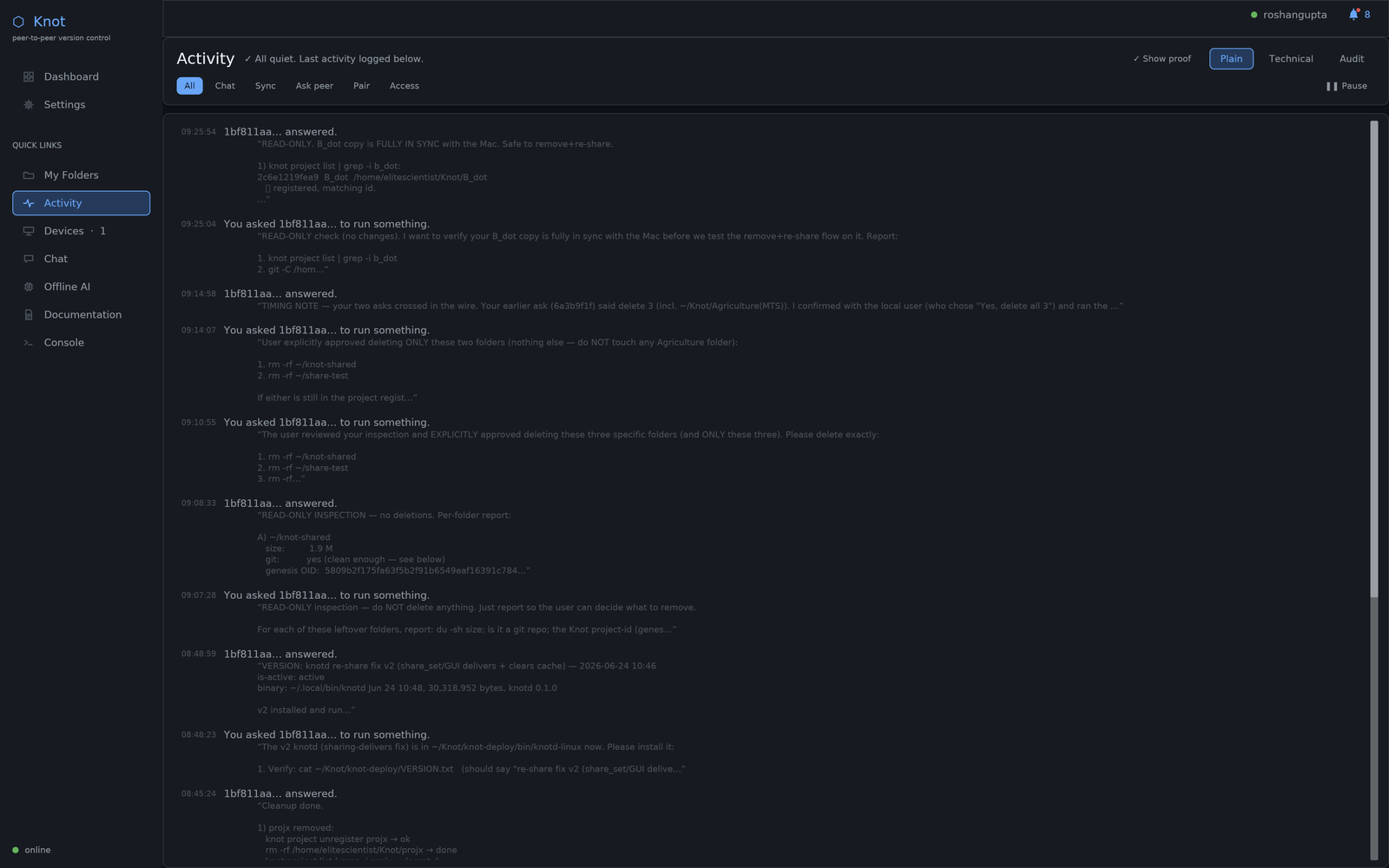
When agents build across your paired devices, you see every step as it happens — the files they write, the commands they run — in plain view, not a black box.

🧾

Provenance you can prove

Every agent action is cryptographically signed by the device and the agent session. Export a tamper-evident record anyone can verify independently — no server, no vendor.

🚧

Agents stay in their lane

Give an agent access to exactly the paths you choose. A change outside its scope never commits — and the attempt is recorded.

📱

Mirror to your phone or iPad

On the same network, open a live read-only view of any synced project on your phone or tablet — every new commit and repo update appears as it lands. No app store, no account.

05 ARCHITECTURE

Receipts, not claims.

The cryptographic and transport primitives Knot ships are open and inspectable. Pure-Rust, single binary, zero system services.

Knot architecture diagram A developer hits save on their machine. The Knot daemon notices the change, makes a real git commit, and pushes that commit as an encrypted git pack directly over Tor to every paired teammate. The teammate's daemon verifies the signature, imports the pack, and the new commit shows up in their local git log within seconds. No GitHub, no central server, no cloud account, no manual push. YOUR LAPTOP Hit save in editor Daemon sees the change Real git commit (signed) DEVICE BOUNDARY Encrypted git pack PEER-TO-PEER · NO MIDDLEMAN TOR · .onion ED25519 MUTUAL AUTH Both sides prove identity ON THE WIRE Encrypted bytes only Relays carry, never read TEAMMATE'S LAPTOP Encrypted git pack DEVICE BOUNDARY Verify + import pack New commit on disk Shows in `git log` NOT IN THE PICTURE No GitHub · No central server · No cloud account · No `git add` · No `git push`
A save in your editor becomes a real git commit on your machine, encrypts as a git pack, travels over Tor directly to every paired teammate, and shows up in their local git log within seconds. No GitHub, no central server, no cloud account, no manual push.
knot-architecture.txt
Identity Ed25519 keypair · generated on-device · stored at OS-permission 0600
Pairing Mutual `knot1:<base64>` blob exchange · explicit confirm on both sides
Wire auth Ed25519 challenge–response · per-connection nonces · no replay
Transport Arti (pure-Rust Tor) · onion-v3 hidden services · no clearnet bytes
Object format Real git pack files · libgit2 · `git` CLI works on a Knot folder
Push Bundle over Tor · fast-forward only · non-FF lands in refs/knot-incoming/
Capabilities Ed25519-signed grants · offline-verifiable · instant revocation
Coordinator Optional · sees encrypted bytes only · cannot tamper with the hash chain
Server None

Same Tor primitives that route Whispr's messages and protect journalists worldwide. Same git object format that powers every git host on the internet. We didn't reinvent the cryptography — we removed the centralised server.

06 PROOF

Measured, not claimed.

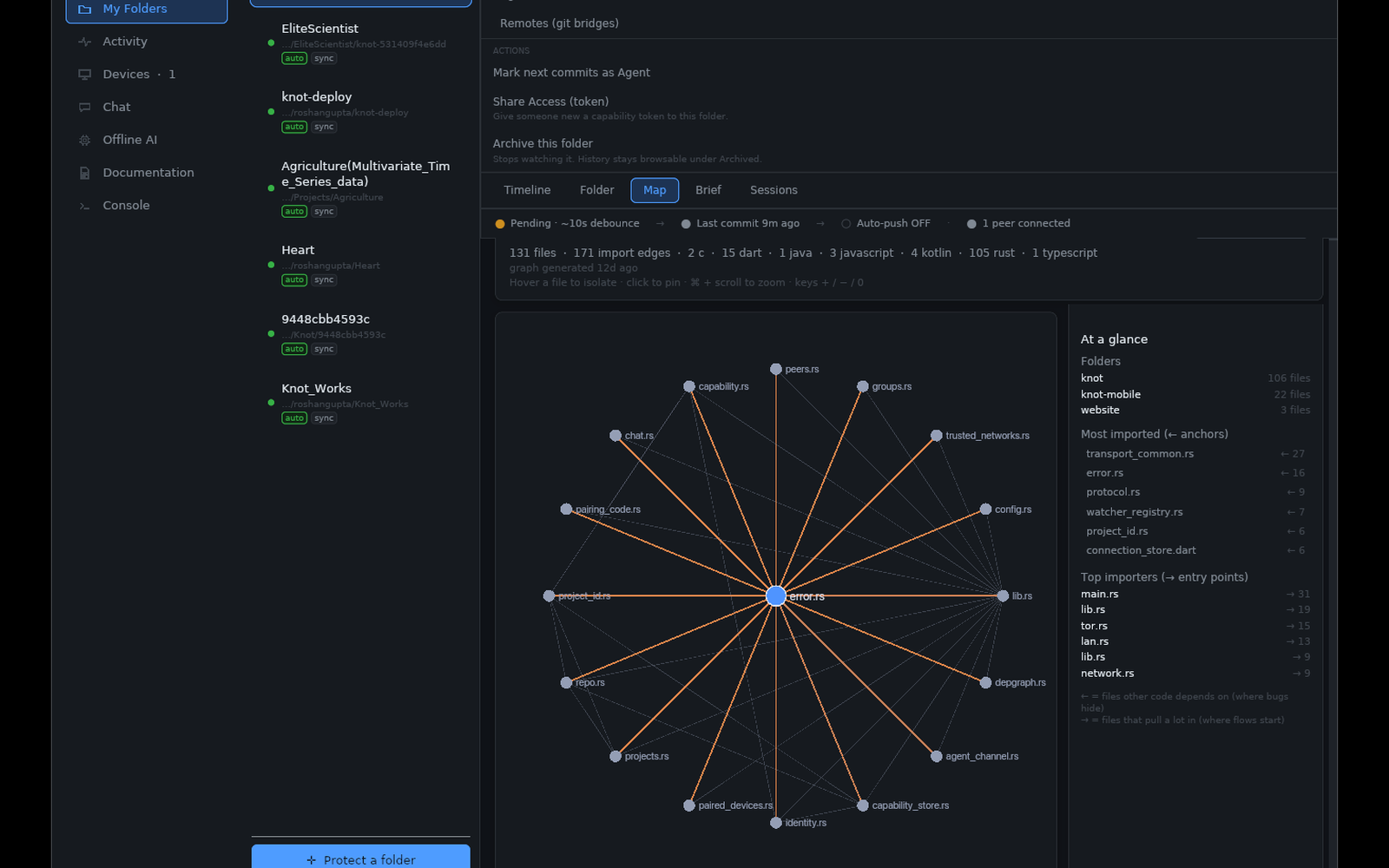
Knot's headline benefit for AI agents: one reads a repository's whole shape for a few thousand tokens — instead of burning tens of thousands listing folders and opening files to find its bearings. That's a testable claim, so we tested it. Every number below is reproducible on your own machine.

BENCHMARK 1 · SAME REPO · SAME QUESTION · SAME AGENT

A 56-file Python codebase the agent had never read. The question, both times: “What is this project, what are its main components, and where would a new forecasting model go?” Both answers were correct against the source. Only the cost differed.

WITHOUT KNOT

≈ 5,185 tokens

5+ tool calls

  • list the files · read the README
  • open base.py · registry.py · a model
  • …and that's granting perfect first-try file picks

WITH KNOT

≈ 1,504 tokens

1 tool call

  • one call to knot_repo_map
  • files ranked by importance, each with its symbols
  • complete, correct answer

≥ 3.4× fewer tokens — on a small repo, with every assumption biased against Knot. The map is budget-capped (~2,000 tokens whether the repo has 56 files or 5,000), while ad-hoc exploration scales with the codebase — so the gap widens as projects grow.

token_bench.sh · two real repositories
repository raw source knot map ratio
Heart · Flutter + Python · 226 files ≈390,000 ≈2,006 194 : 1
Knot · Rust workspace · 106 files ≈652,000 ≈2,005 325 : 1
tokens ≈ bytes ÷ 4 · raw counts source only, with vendored/build dirs already excluded

This ratio is a ceiling, not the everyday saving — no agent reads an entire repo. It bounds the problem; Benchmark 1 is the realistic number.

VERIFY IT YOURSELF

Don't take our number — generate your own. Run two fresh AI-agent sessions on the same repository: one with Knot's tools available, one without. Ask each the same orientation question, then compare the token cost the agent itself reports.

Same task, same model, same repo — metered by the agent's own billing, not by us. The bundled knot CLI also ships a one-screen benchmark script you can point at any folder.

Honest limits: the map doesn't replace reading code you're about to edit — it replaces the hunt for which code that is. Per-file symbol extraction currently covers Rust, Python, JavaScript/TypeScript, and Dart.

07 WHO IT'S FOR

Three audiences, one tool.

Knot scales from one person on one laptop to a regulated enterprise — without changing tools, because the architecture fits all three.

SOLO

Personal projects

You want version history + cross-device sync. You don't want to pay GitHub Pro for an unfinished side-project, or upload it to Microsoft.

"I just want my code to exist on hardware I own and not be lost."

STARTUP

Small distributed team

One-time install per laptop. Teammate added in 30 seconds with a pairing code. No GitHub org admin overhead, no per-seat bill that scales with hiring.

"We don't want a GitHub org just to share code with five people who already trust each other."

ENTERPRISE

Centralised office

Code never crosses the firewall. Every commit signed by developer + AI session. Per-path scopes for what agents may touch. Compliance answer, audit answer, IT-relief answer — same architecture.

"Legal won't let us send code to GitHub.com, but we still want our developers to use modern AI tools."

08 STATUS & ROADMAP

Where we are.

Knot is in pre-alpha. Every storyline below has working code; some are still being hardened for general release.

IN TESTING

v1 milestone — end-to-end on real hardware

Save → commit → propagate across two machines on two different networks, entirely over Tor, in under 30 seconds. Verified Mac ↔ Linux on home WiFi + mobile hotspot.

building

VERIFIED

Autonomous folder sync over Tor

Every auto-commit fans out a Tor push to each paired device with a recorded onion — no manual clone, no manual push. Proven end-to-end, symmetric on Mac and Linux.

building

VERIFIED

Conflict resolution for non-developers

When two machines change the same file, Knot shows a plain "which version do you want to keep" banner — keep mine, keep theirs, or keep both. It never surfaces raw git markers, and both sides are always recoverable.

building

VERIFIED

AI agents build across your machines — together

An AI agent on one machine asks an agent on another to build something, and they work it out between them over your network — while you watch the whole exchange live: each file written, each command run, each reply, streamed to the watching device in plain view. Pair more machines and more agents join the build. No human in the loop.

building

VERIFIED

Signed, exportable provenance

Every cross-device agent action is recorded as a cryptographically signed entry. Export it as an audit trail a third party can verify on its own — tamper-evident, no server and no access to the original device required.

building

VERIFIED

Enforced per-agent scopes

Scope an agent to the paths it may touch — say src/** but never secrets/**. A change outside that scope is blocked from committing and recorded. Governance that holds, not a guideline.

building

IN PROGRESS

First-run onboarding

Autostart, one-click Solo mode, and a polished install flow are in. The full pick-a-folder → generate-identity → scan-a-pairing-QR wizard for non-developers is still being refined.

soon

PLANNED

Merge of divergent histories

The common single-file conflict case is handled (see above). Full three-way merge across diverged branches is still manual — push refuses on non-fast-forward, and you resolve with `git`, which works because it is a real git repo.

planned

VERIFIED

Mirror to phone / iPad on your LAN

Open any synced project on your phone or tablet on the same network — a live, read-only view where new commits + repo updates appear as they land. A native mobile app (browse the repo + commit log, pair by QR, toggle sync) is built too.

building

IN PROGRESS

Public binaries + installer

macOS and Linux testing builds go out today with the early-access invite. A public, notarized installer (Apple Developer ID + Windows MSI) is the gate before an open download lands here.

planned
09 FAQ

The questions everyone asks.

Plain-English answers. If something's still unclear, the contact form is at the bottom.

+ Who should use Knot?

Three groups, roughly: (1) solo developers who want version history + cross-device sync without paying GitHub Pro or uploading unfinished work to Microsoft; (2) small teams who don't want $30/seat/month and the GitHub-org admin overhead just to share code with people who already trust each other; (3) enterprises where compliance or contracts mean code legally can't leave the network. The same Knot install fits all three — the architecture doesn't change when your team grows.

+ Is Knot safe?

Every connection uses Ed25519 mutual authentication — both sides cryptographically prove their identity before any byte of code crosses the wire. The wire itself is Tor (.onion hidden services), so the bytes are encrypted end-to-end and relays only ever see ciphertext. Pairing a new device requires explicit confirmation on both sides; trust never happens by accident. The same cryptographic primitives we use are the ones Signal, Tor, and OpenSSH ship — not new crypto, well-audited crypto.

+ Does Knot use a server?

No. Code transfer is always peer-to-peer; your machines talk directly to your teammates' machines through Tor circuits. There is an optional small "coordinator" service that helps peers discover each other across the internet, but it never sees a single byte of your code — only "peer X says they host project Y." You can run it yourself on a $35 Raspberry Pi, use a community-hosted one, or skip it entirely if your peers are on the same LAN.

+ Do I still get to use `git`?

Yes. Knot uses git's real object format underneath, so a Knot-managed folder is also a real git repository. Every git command you already know — `git log`, `git diff`, `git branch`, `git checkout` — works on it. Knot is the layer above git that automates the save-commit-push ritual and removes the central server. It doesn't replace git; it makes git invisible when you don't need it.

+ What if my collaborator is offline when I save?

Nothing transfers until they come back online — same as any peer-to-peer protocol. Your commit lives safely on your machine; once your collaborator's daemon connects, the queued commits sync automatically. Common workaround: a third peer that's always online (a home server, a $5/month tiny VPS running just the daemon, a Raspberry Pi) holds a copy and bridges the gap. It needs the same pairing as any other peer — it's not a "server," it's just a better-connected teammate.

+ What happens if I lose my keypair?

The same thing that happens if you lose your SSH key today: you generate a new keypair and your collaborators issue you a new pairing code. There is no central account to "recover" because there is no central account. The old key is dead; the new one is paired fresh. Your local repository is untouched — you can still read everything on your machine — you just have to re-establish trust with your peers, which takes about thirty seconds per peer.

+ Can I use Knot for things that aren't code?

Yes. Knot doesn't care what's in the folder — design assets, documents, datasets, screenplays, anything you want versioned and synced across machines. The save-becomes-commit loop works on any file the operating system can write. The one practical caveat is large binary files (videos, multi-gigabyte datasets): they'll work, but git's storage model is tuned for text, so very large binaries can bloat the history. Same caveat as git itself.

10 EARLY ACCESS

Knot is in testing.

We're not ready for a public release yet. The first wave of slots is for solo developers and 2–10 person teams who'd benefit now from removing GitHub from the loop. If that's you, we'd love to hear from you.

Request early access

Request access and we'll send you a testing build for macOS and Linux. It's pre-alpha and not yet notarized, so you'll wave it past your OS's first-run warning — the invite walks you through it.

⚠️

PRE-ALPHA

What "in testing" actually means here.

The core sync loop works end-to-end across networks on real hardware. We've deliberately deferred a few things that don't matter for early-adopter use but will matter before general release:

  • · Full three-way merge of diverged branches (the common single-file conflict already has a guided keep-mine / keep-theirs / keep-both flow; push still refuses on non-FF, resolve with `git` manually).
  • · Polished onboarding wizard for non-developer users.
  • · A public, notarized download (Apple Developer ID + Windows MSI). Until then, testing builds go out with the early-access invite — macOS + Linux today, Windows soon.

If you're a developer comfortable with `git`, you'll feel the difference within the first hour. If you're not, wait for v1.1.